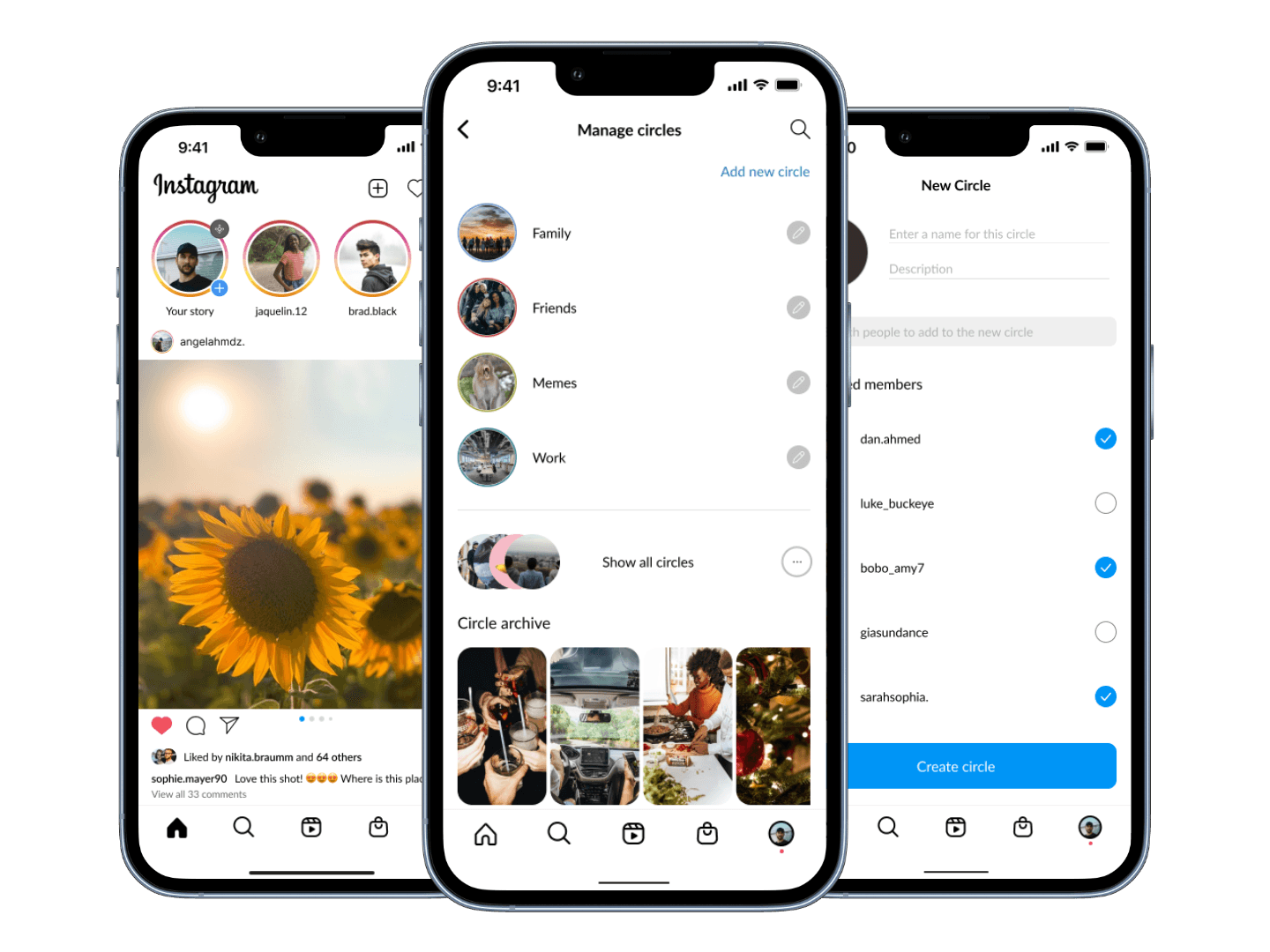
Designing Instagram Social Circles for Meaningful Interaction


Background
Social media sharing is a daily activity for many, but not everyone is comfortable with a broad audience on platforms like Instagram.
A key aspect of sharing is controlling who sees our content. While Instagram's 'Close Friends' feature provides some control, it falls short by offering only one list. This limitation prevents users from creating multiple personalized lists, resulting in a rigid, one-size-fits-all approach.
The Challenge
Develop a feature that enables users to easily create and customize multiple groups within their followers.
The Outcome
A feature that enhances control and ease, making Instagram story sharing more enjoyable and personalized.
Research
Empathizing through Research and Approaching the Problem
I began the research phase by focusing on three key questions:
What are the users' needs?
What's missing in their current sharing experience?
How common is the limitation of having only one 'Close Friends' list among Instagram users?
Research Goals
Discover how users feel about the current sharing experience.
Identify current limitations of the story-sharing feature.
Understand user frustrations and pain points when posting.
Assess users' feelings about privacy and control over their content.
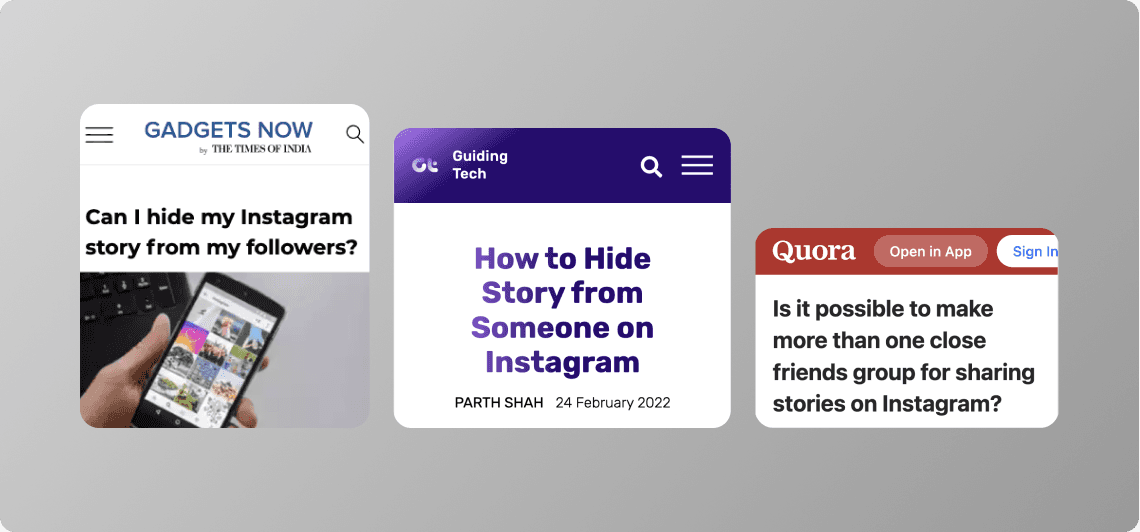
To gather insights, I reviewed news, forums, and social media to capture user opinions and experiences.
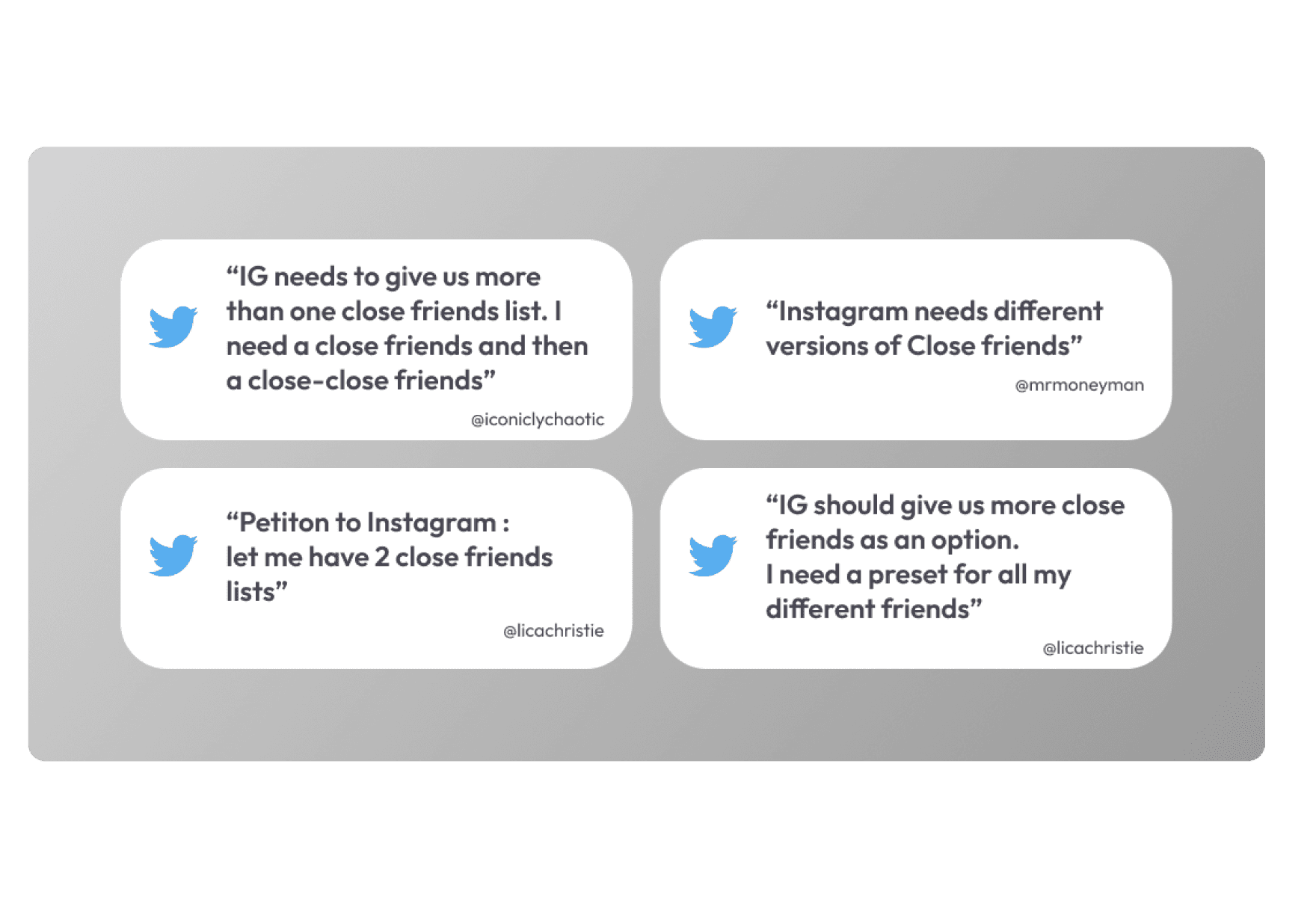
To explore the issue in more detail, I conducted a survey using Google Forms, which received 25 responses from a diverse range of Instagram users. The survey targeted daily app users across different age groups, ensuring that the feedback was relevant and comprehensive. Participants were recruited through social media and various networks, providing a wide spectrum of experiences and perspectives.
Level of agreement with survey statements
A feature to create different groups for sharing stories would be very useful.
76%
Multiple 'Close Friends' lists would give me more control over my privacy.
80%
Being able to choose who sees my private content makes me feel safer.
82%
understanding the problem space
Synthesizing the Insights and Creating User Persona
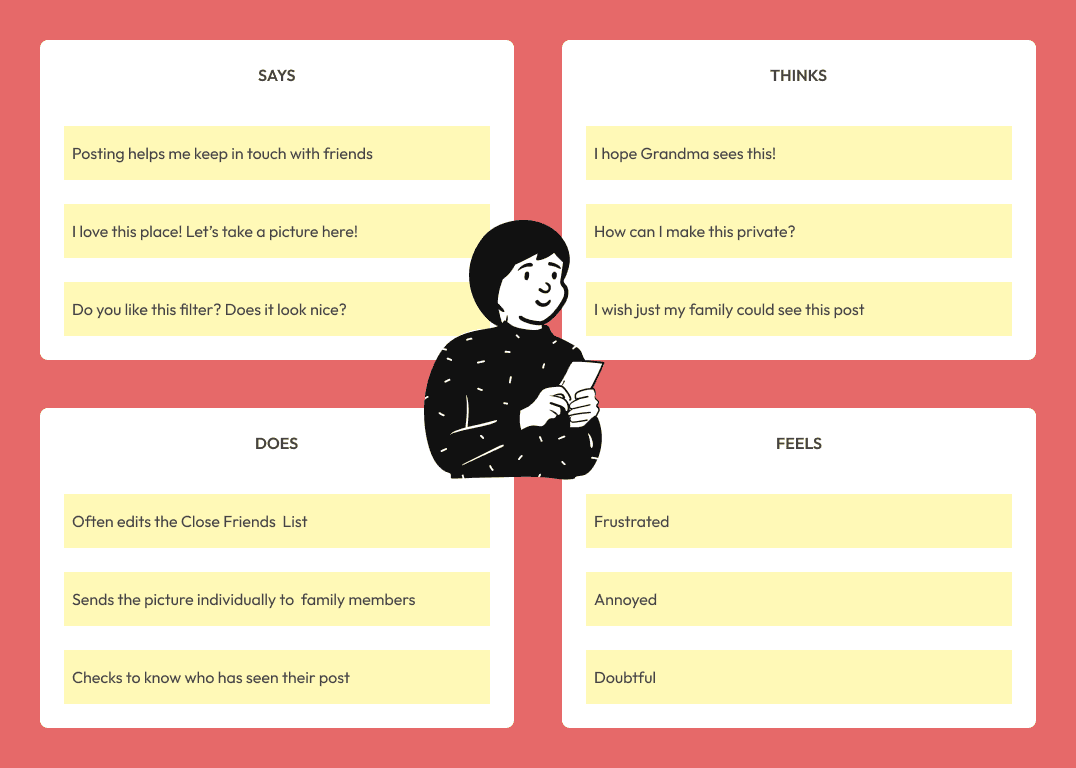
Based on the survey findings, I created an empathy map to understand users' context and behavior. This research was then synthesized into a user persona, capturing their needs, moods, thoughts, and frustrations to guide the design process.
Click to expand

Identifying Pain Points and Defining Design Goals
After defining the user persona and analyzing the gathered information, I identified Ava's main pain points related to sharing.
To address these issues, I crafted How Might We questions to guide the design phase which led to the establishment of clear design goals for the project.
How Might We ...?
... allow Ava to easily create and manage multiple sharing groups?
... give Ava better control over her privacy ?
... add a flexible sharing feature without disrupting the current flow?
Pain Points
Limited to a single list for sharing with specific audiences.
Time-consuming manual edits to the Close Friends list.
Ava needs to share content with specific groups.
Ava wants more control over privacy .
Design Goals
Enable Ava to easily and enjoyably manage her content's audience.
Create a solution that integrates seamlessly with the existing design and is easy to learn.
IDEATION
Translating Insights into Ideas
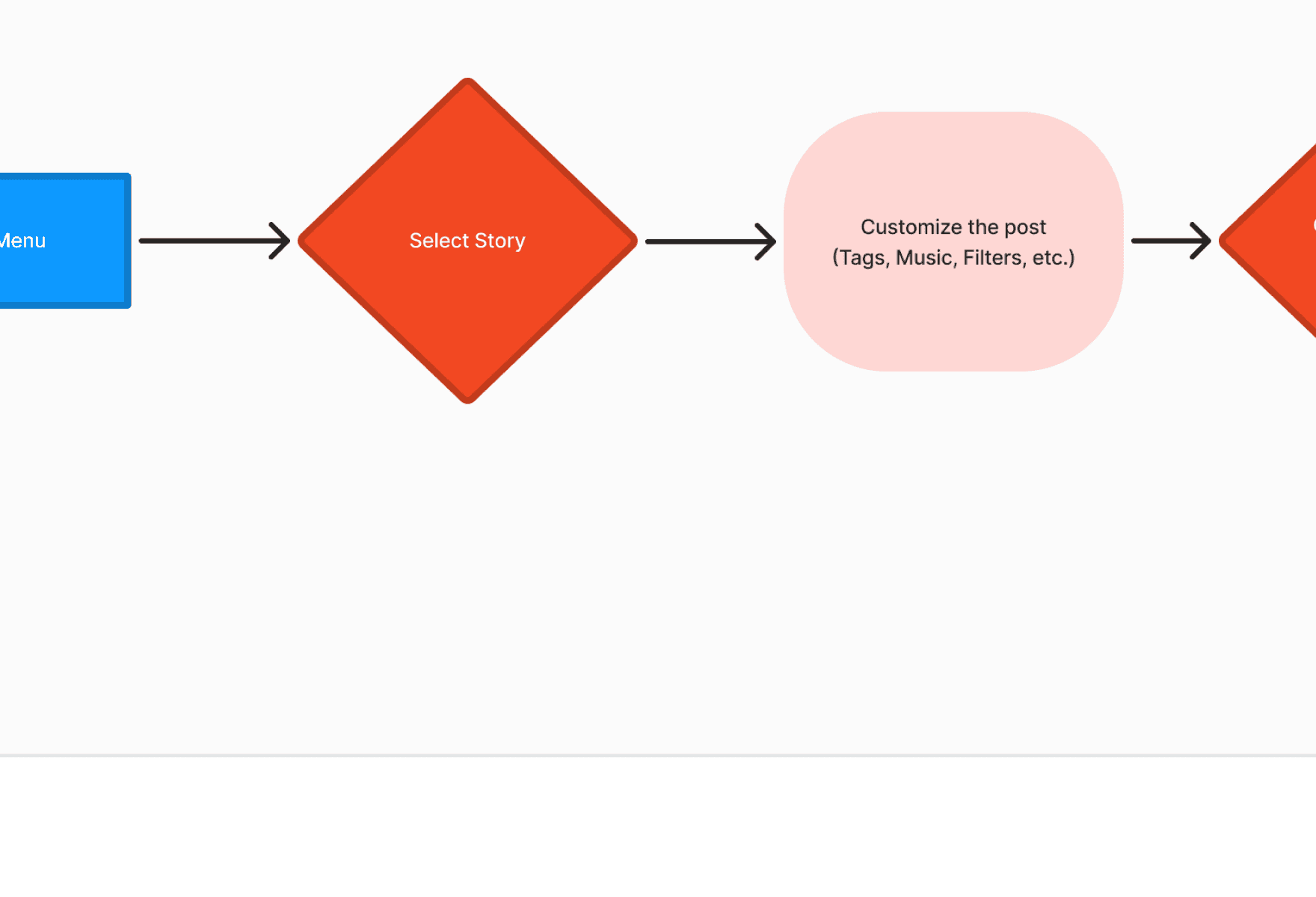
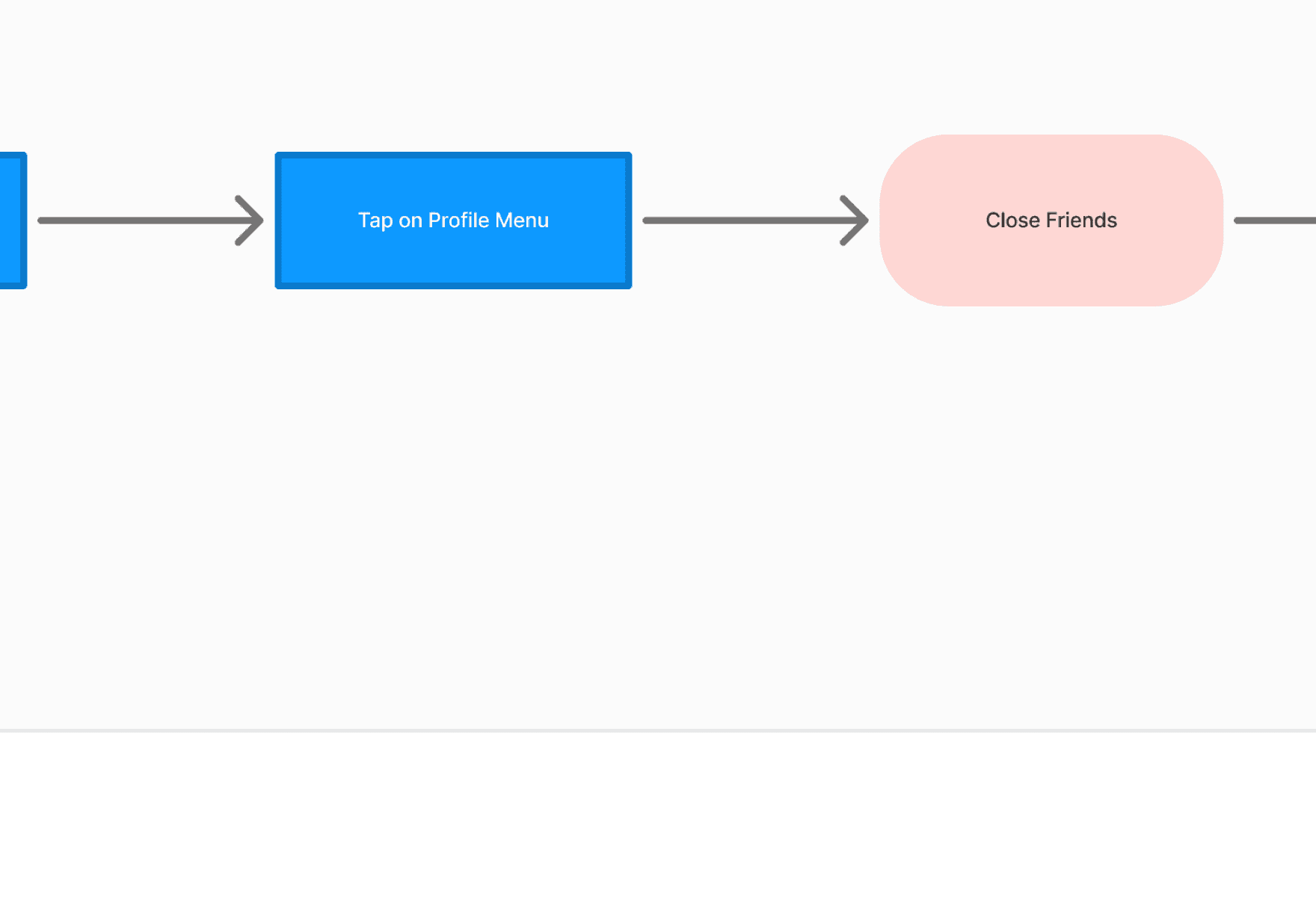
To ensure seamless integration of the new feature without causing confusion, I designed two task flows. The first shows Ava’s steps for posting a Story on Instagram, while the second shows how to customize the audience for the Story. This approach helped determine the optimal placement for the solution.
Sketching
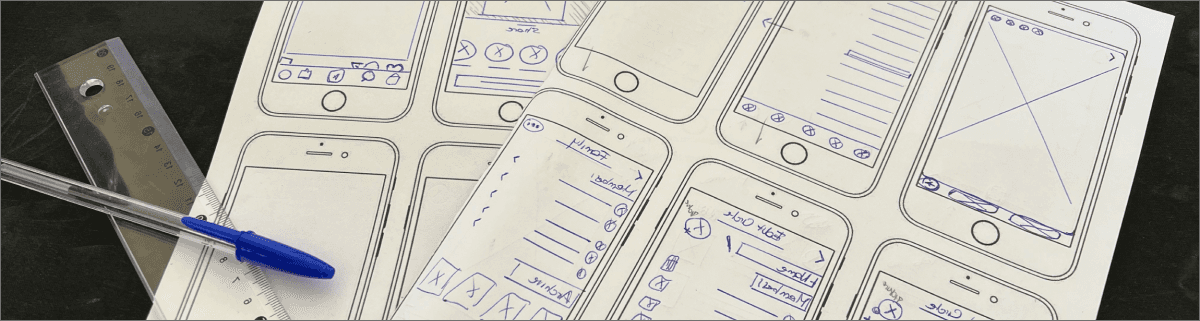
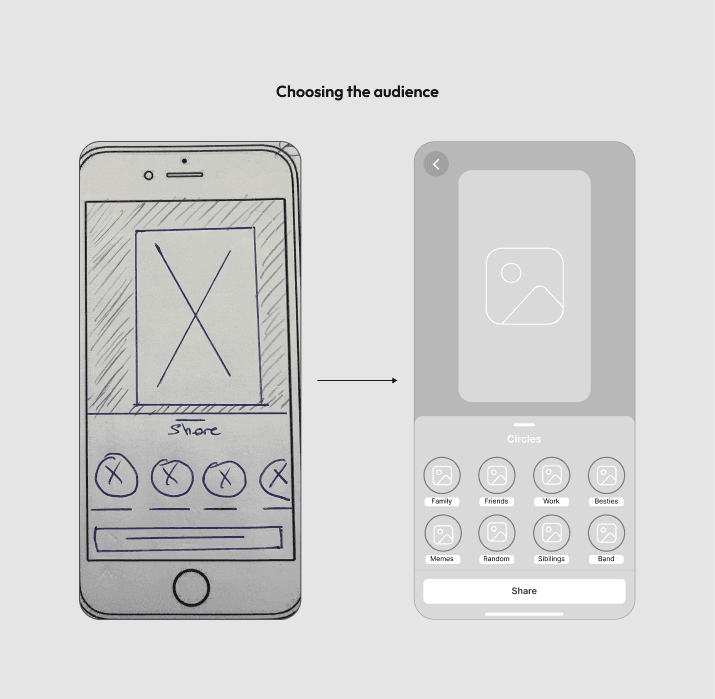
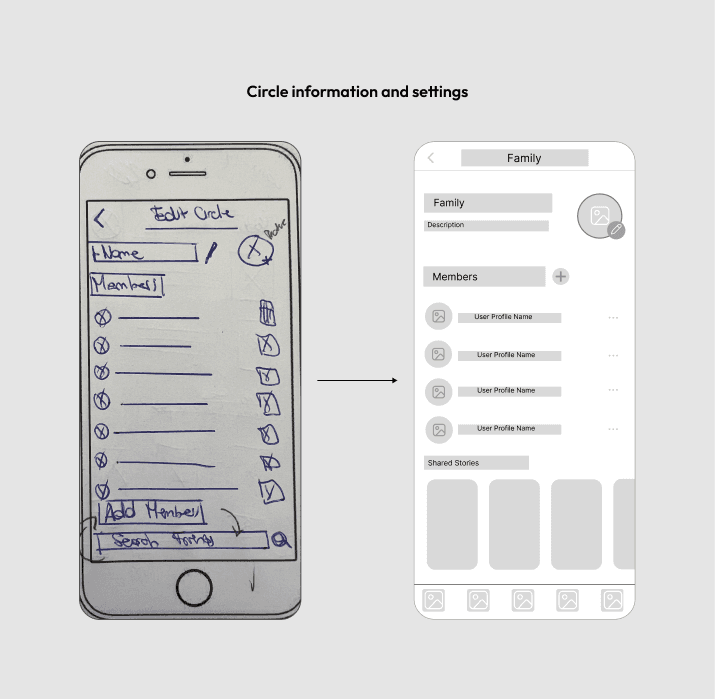
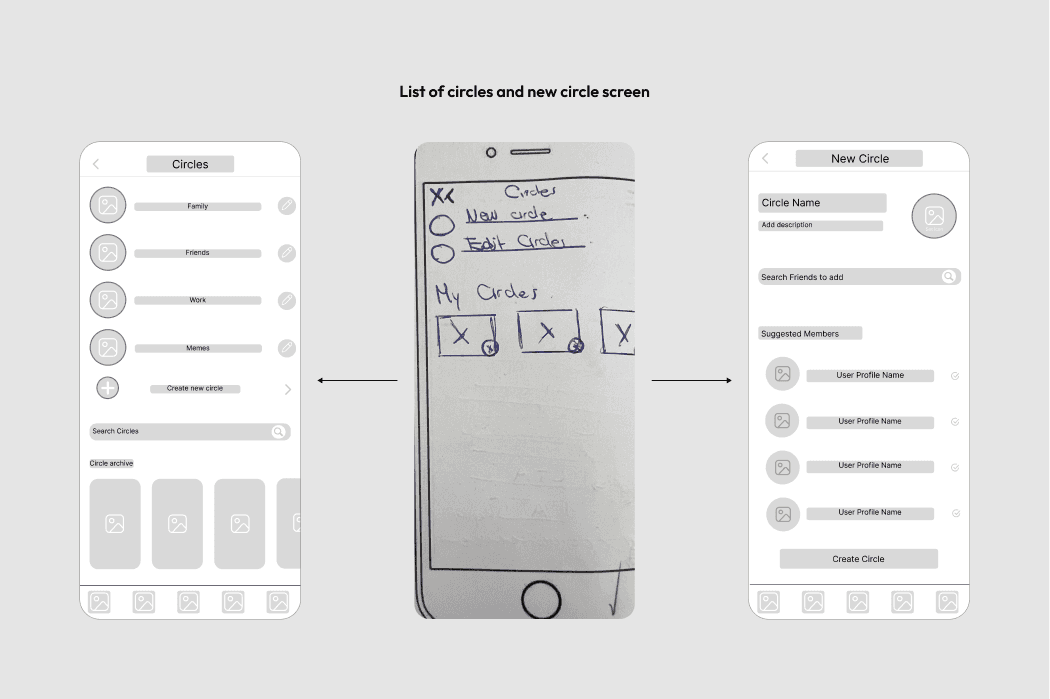
Based on Ava’s pain points and needs, I sketched multiple low-fidelity options to enhance her experience. I tested these wireframes early on through guerrilla usability tests with five Instagram users who enjoy sharing stories. This provided immediate insights and helped identify usability issues for further improvements.
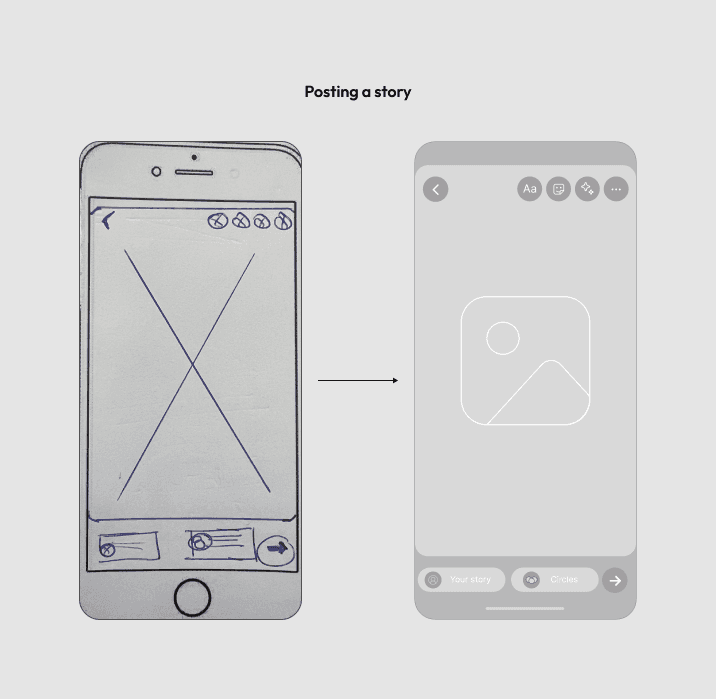
Next, I chose to develop mid-fidelity wireframes to avoid investing time in high-fidelity designs that might need major adjustments later. After refining these mid-fi wireframes through several iterations, I reached a point where I felt confident in the proposed solutions.
prototyping
Improving the Wireframes to a High Fidelity Prototype
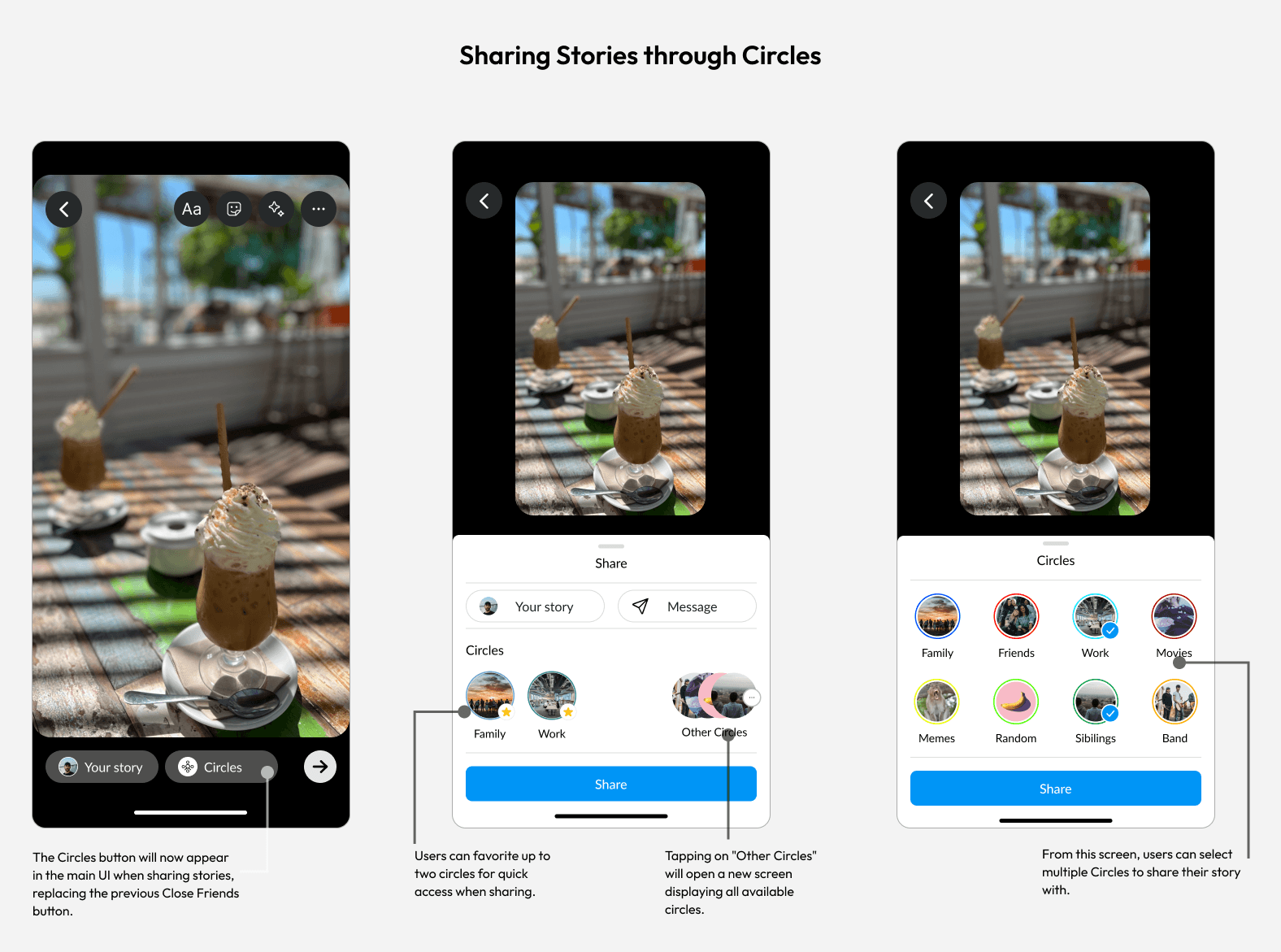
As the final step of the design process, I converted my Mid-Fi wireframes into Hi-Fi prototypes. Below is the finalized version of the solution, highlighting its two main flows as developed from earlier task flows, and featuring the new Circles options view in both the settings and user profile.
Click to expand
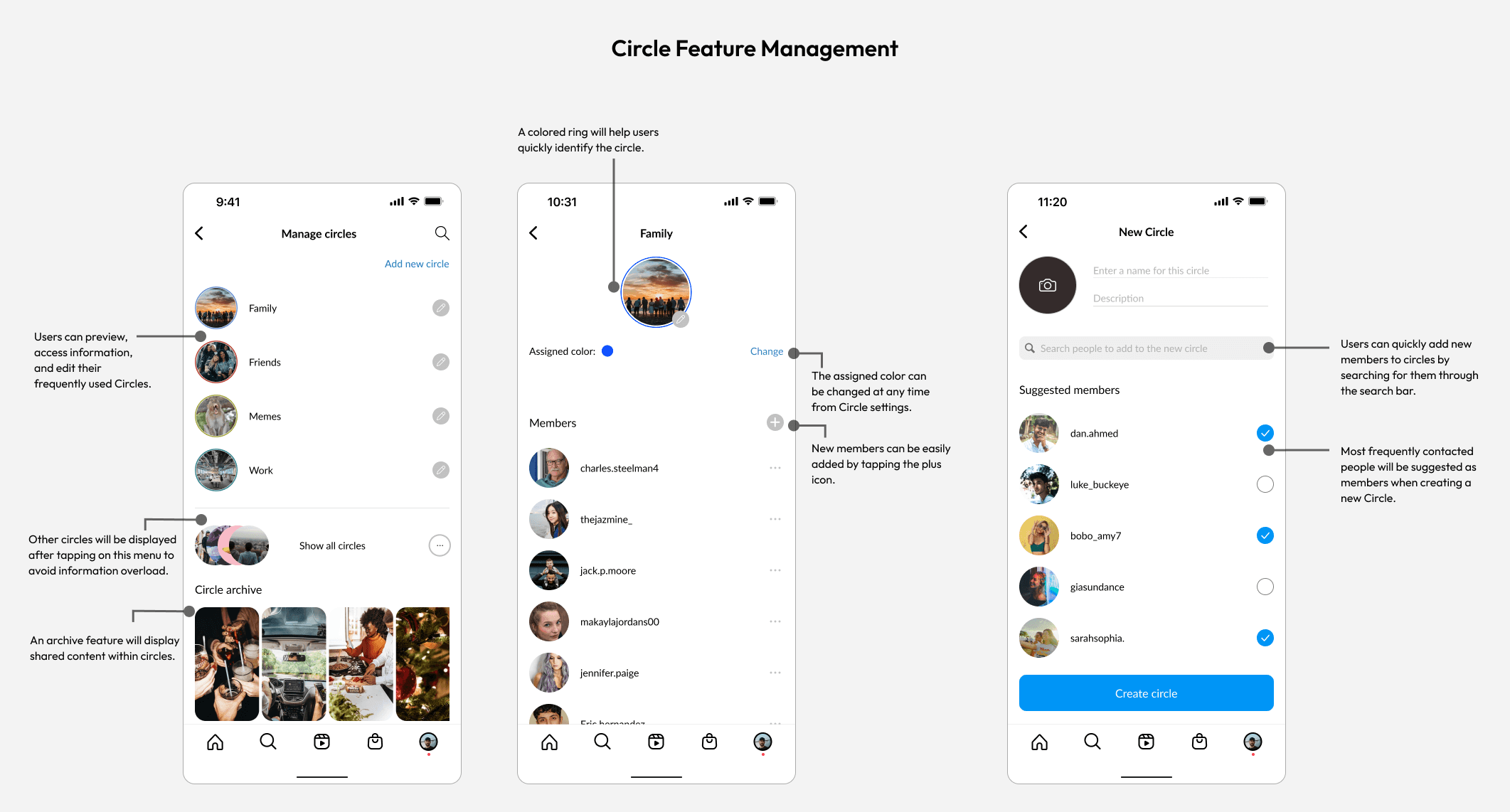
Click to expand
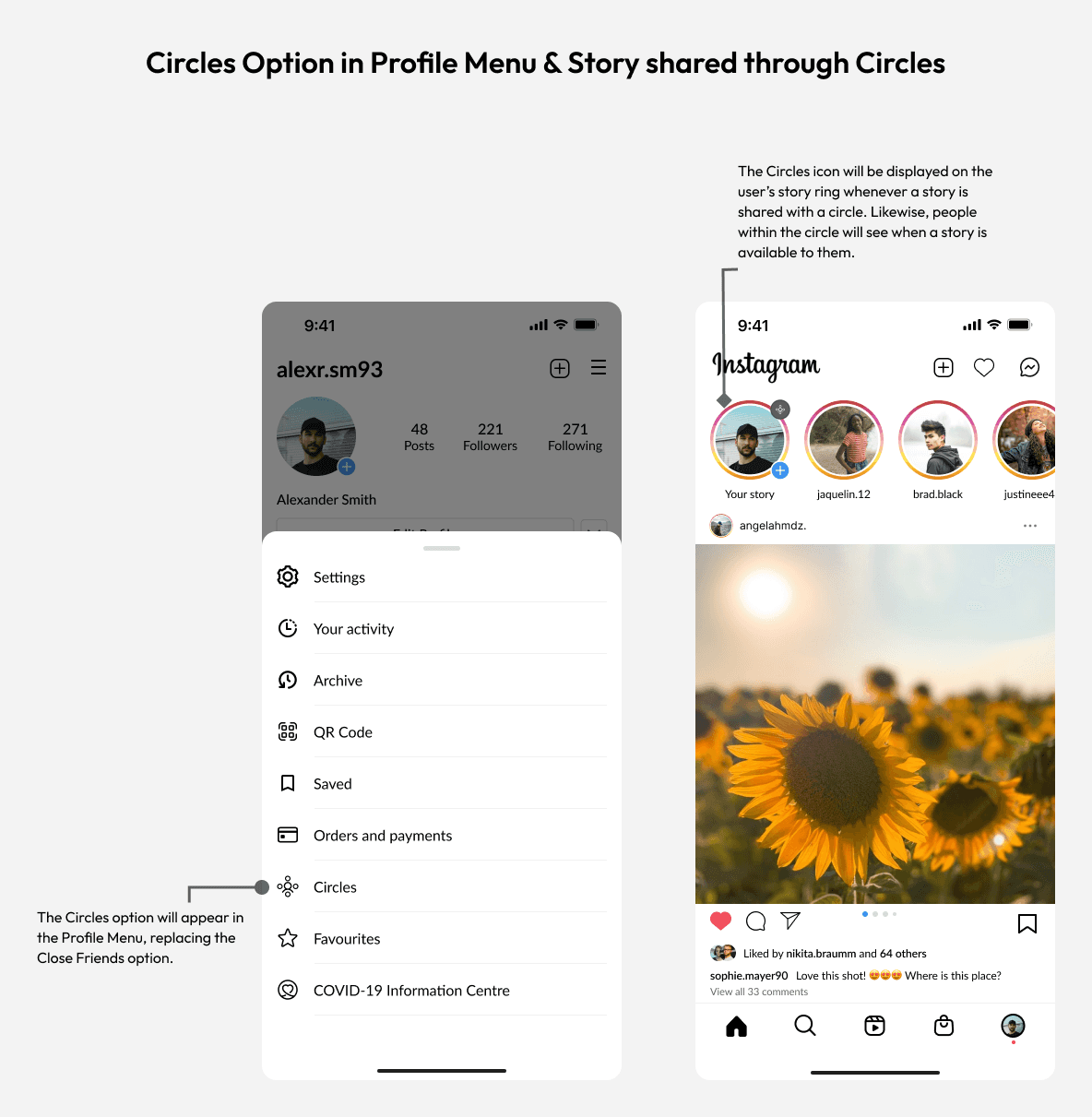
Click to expand
Validating the design
Testing and validating the solution
I conducted usability testing using a high-fidelity clickable prototype with five users to validate the design and its features.
Participants were daily Instagram users aged 20 to 35, assigned simple tasks related to navigating the new Circles feature and the sharing experience.
Three of the tests were held in one-on-one sessions, while the other two were conducted online via Zoom.
Test Results
Successfully located the feature in the settings screen.
Successfully created a new circle.
Successfully viewed circle information.
Successfully shared to the family circle.
Successfully and easily understood the Circles UI and its features.
Conclusion
Takeaways and conclusion
Taking on this project was both enriching and challenging, marking my first experience designing a feature for such a widely-used app. Seeing how a small change could significantly enhance the user experience was incredibly rewarding.
If I could start this project over, I would invest more time in one-on-one interviews, explore additional empathizing techniques, and work with multiple user personas to consider diverse needs and cater to a wider audience. These insights were invaluable in refining the final design.
Thanks for reading - feedback is welcome
NOTE: This is a personal project. I do not work for, nor am I affiliated with Instagram in any way.